About the App
The Microsoft Authenticator app is a powerful tool designed to enhance the security of your online accounts through multi-factor authentication (MFA). With its easy setup and user-friendly interface, you can conveniently manage both personal and work or school accounts in one place. Whether you're an individual looking to secure your social media accounts or a professional needing added protection for work files, downloading the Microsoft Authenticator app is a step towards a safer digital life. 🚀
Highlights
1. Multi-Factor Authentication (MFA): Adds an extra layer of security by requiring a password and a second identification method.
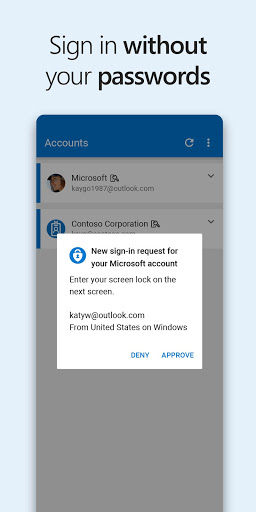
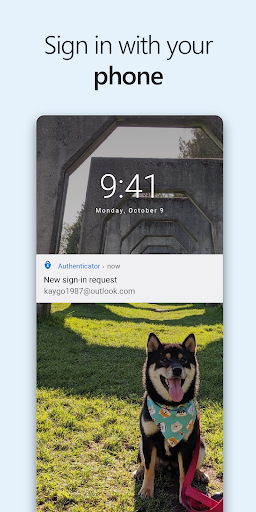
2. Passwordless Sign-In: Log in to your Microsoft accounts without the hassle of remembering passwords by using your phone for verification.
3. One-Time Passwords (OTP): Generate secure, time-based passwords without needing a network connection.
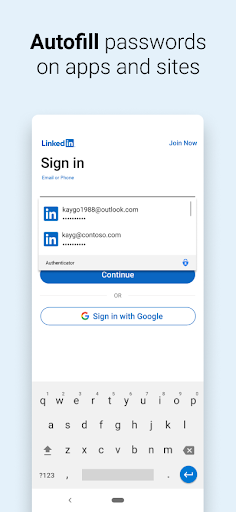
4. Support for Multiple Accounts: Easily add and manage accounts from different platforms, including Facebook, Amazon, Google, and more.
5. Biometric Security Options: Utilize your fingerprint, face ID, or PIN for an added level of security during logins.
Pros
1. Secure: The Microsoft Authenticator app provides robust security features, making it one of the most reliable options for safeguarding your accounts.
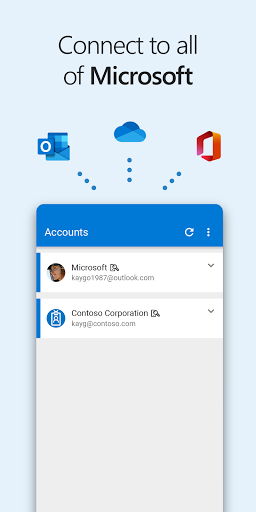
2. Convenience: Easily access all your Microsoft products and services like Outlook and Office once authenticated, ensuring a seamless user experience.
3. Free to Use: The app is entirely free to download and use, making it accessible to anyone looking to improve their account security.
4. Cross-Platform Compatibility: Available on both APK for Android and iOS, the app can cater to a wide range of users across different devices.
Cons
1. Dependency on Your Phone: Since the Microsoft Authenticator app requires your smartphone for authentication, a dead battery or lost device can hinder access to your accounts.
2. Learning Curve: Some users may find the initial setup daunting, especially if they are unfamiliar with multi-factor authentication systems.
3. Limited Support for Non-Microsoft Services: Although you can add various accounts, the app is primarily tailored for Microsoft services, which may limit its usability for some users.